
Default Sending Country
This setting will determine how your contact/recipient numbers are processed
»
Updated over a week ago
Default Sending Country
This setting will determine how your contact/recipient numbers are processed and the Sender ID options available to you at the time of sending. The platform will allow for sending to multiple international destinations in a single broadcast if required.
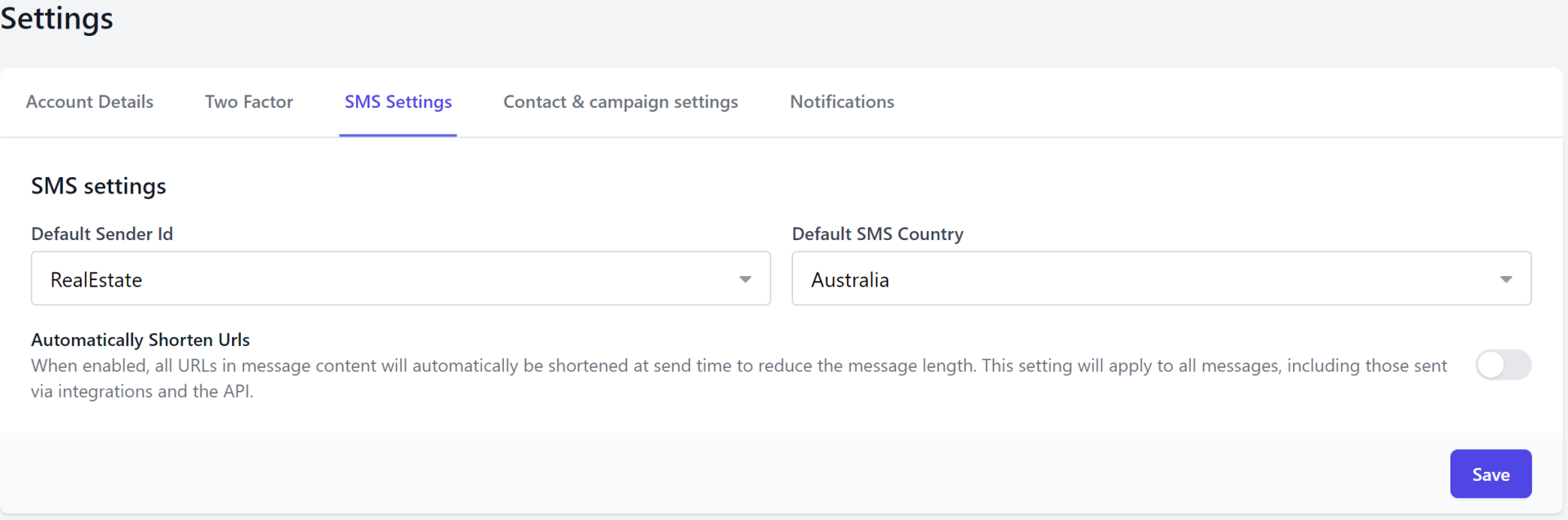
Your Default Sending Country is set at the time of registration but can be edited at any time by going to;
Settings > Profile & Settings > SMS Settings
Saving Contacts/Adding Recipients
The platform will process mobile numbers of your contacts/recipients according to your default sending country first, then attempt to match the remaining numbers to other international regions.
Sample:
Australian mobile (cell) numbers start with the prefix 04 or 614 (in international format).
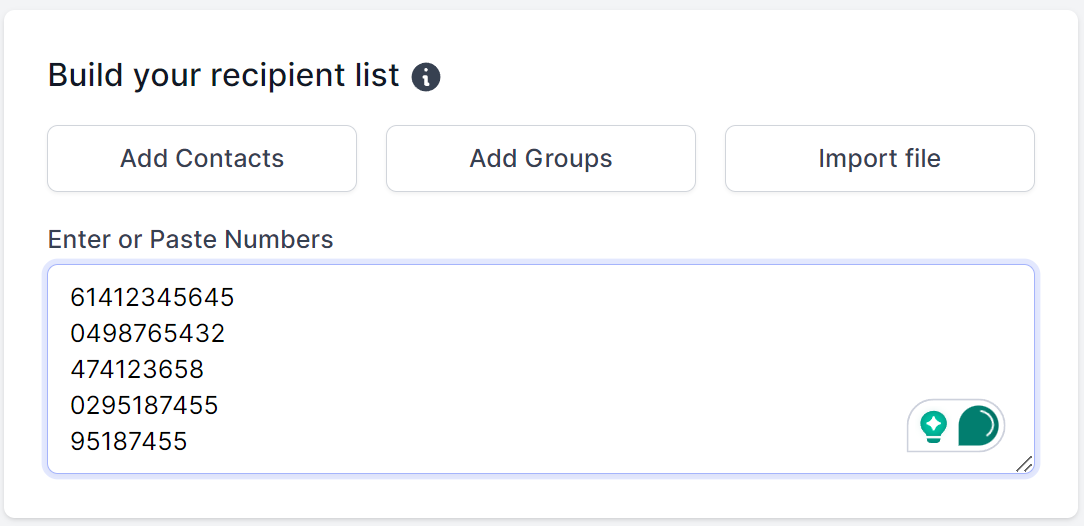
The first 3 numbers in the list below are Australian mobile numbers in different formats. With the default sending country set to Australia, the platform will identify these numbers as Australian, process them and import them in international format.
The remaining 2 are Australian, non-mobile numbers (landlines) in varying prefixes. The non-mobile number with an “02” area code coincidentally matches a New Zealand mobile prefix which the platform will convert accordingly (mobile prefixes in NZ are 02 or 642). Numbers whose prefix cannot be matched to any region will be discarded – in this case, 95187455 has been discarded from the list;
Below is an example of how the above numbers would be identified and processed in the platform, with the Default Sending Country set to Australia; 3 have been reformatted and processed as Australian mobile numbers while the the other has been reformatted a reformatted and processed as a New Zealand number.
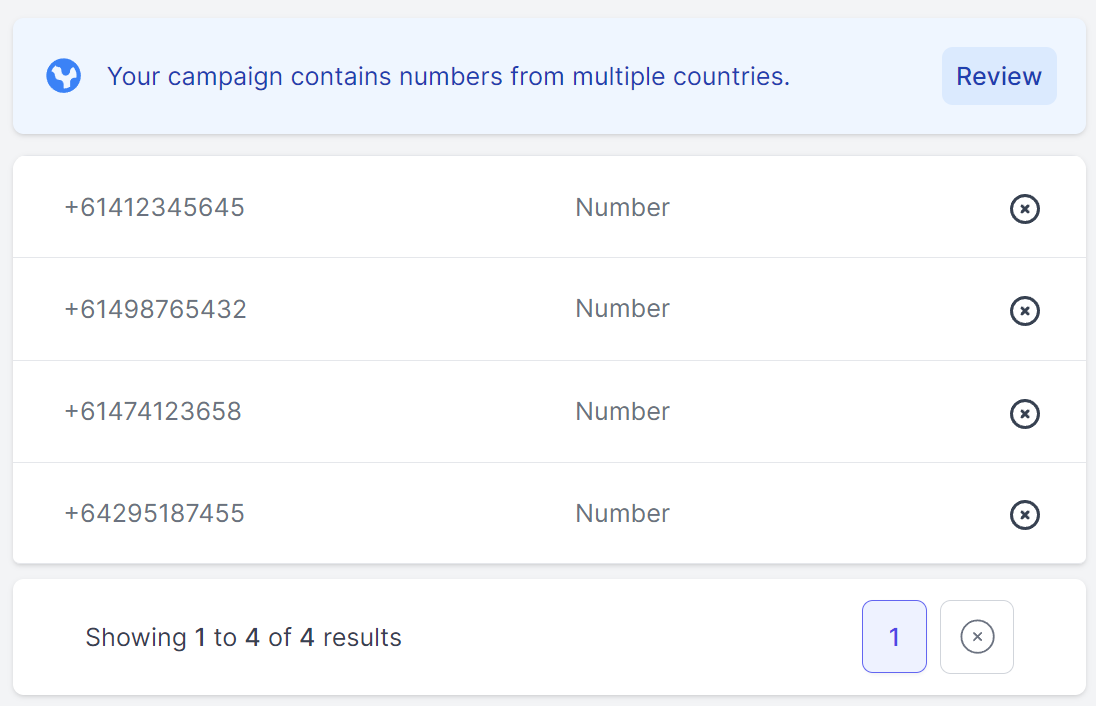
Numbers included in your recipient list from regions outside of your Default Sending Country will be identified on the sending screen so you have a chance to view/remove them.
Tip: It’s a good idea to import contacts or add recipients with numbers in their international format.
Sender ID’s According to Default Sending Country
Sender ID options vary depending on the country you are sending to.
See our full list of Sender IDs by Country options.