
Profile & Settings - SMS Settings
Change your default Sender ID, country and URL shortening options.
»
Updated over a week ago
SMS Settings
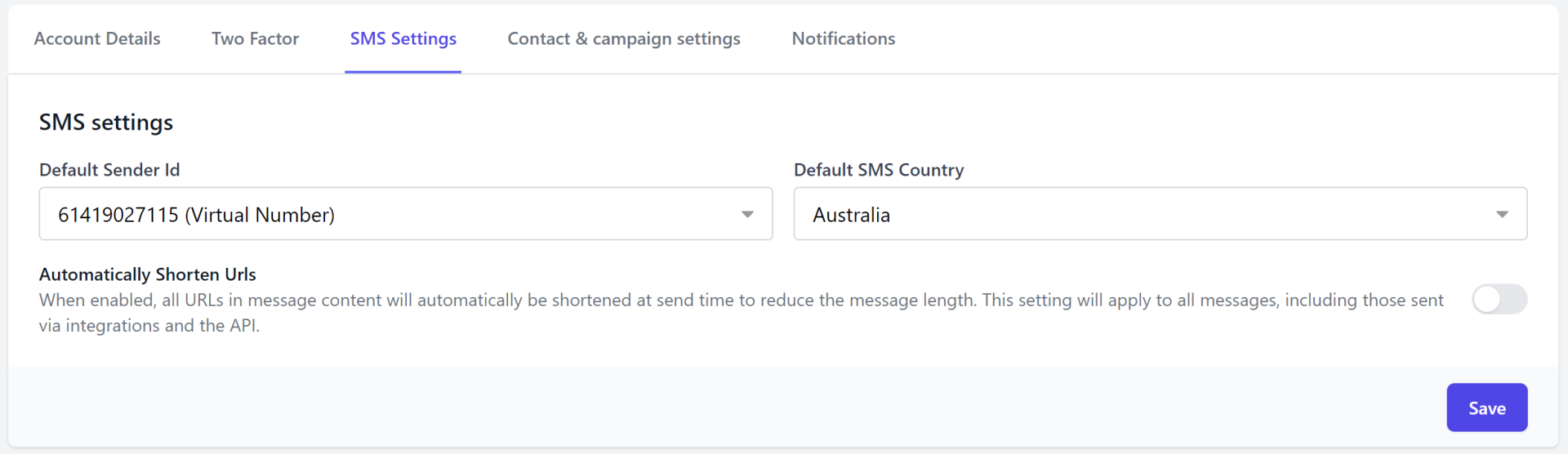
By default, your Sender ID is set to Shared Local Number or if you have purchased a Virtual Number your default Sender ID will be set to your Virtual Number.
Your Default SMS Country will be populated with the country you selected on the registration form when signing up.
In order to change these default settings, go to:
1. Settings > Profile & Settings
2. Select the SMS Settings tab
3. Select your Default Sender Id and Default SMS Country here.
4. Use the toggle to enable Automatically Shorten URLs
When enabled, the platform will shorten any URL you paste into your message content, in order to shorten the message length.
5. Click Save.
Tip: Your Sender Id (From) can be changed at the time of sending. Default settings simply allow you to preset your sending preferences so you don’t need to keep changing them.
For more information on Sender ID Options view article Understanding your Sender ID Options